Links Tab
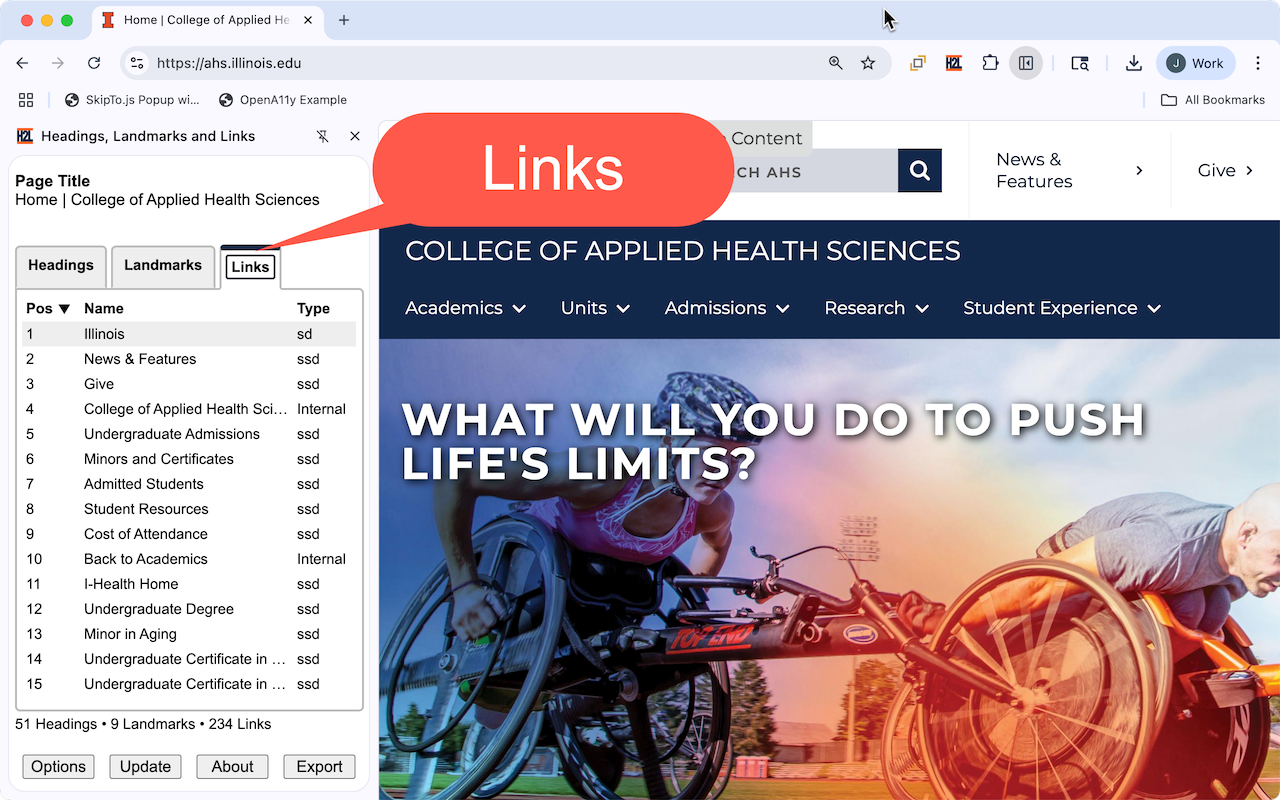
Features
- The third tab provides a grid view of the links of a web page.
-
Each row has four columns providing information on:
- The position of the link on the page.
- The accessible name of the link.
- If the link has an accessible description.
- Information on the domain name of URL or file extensions.
- Columns are sortable
- Checkbox to highlight all links.
- Checkbox to include accessible name as part of the highlight.
- Button to open a dialog of options to filter links based on domain information.
Accessibility Considerations
| Concise and unique | Verify link text is short but still informative. Each link should have unique text, especially if it leads to different locations. |
|---|---|
| Avoid generic phrases | Verify links do not use phrases like "click here," "read more," or "learn more." or the URL as the link text. |
| Provide context |
|
| WCAG Requirements | |
| More Information |
Link Filter Options
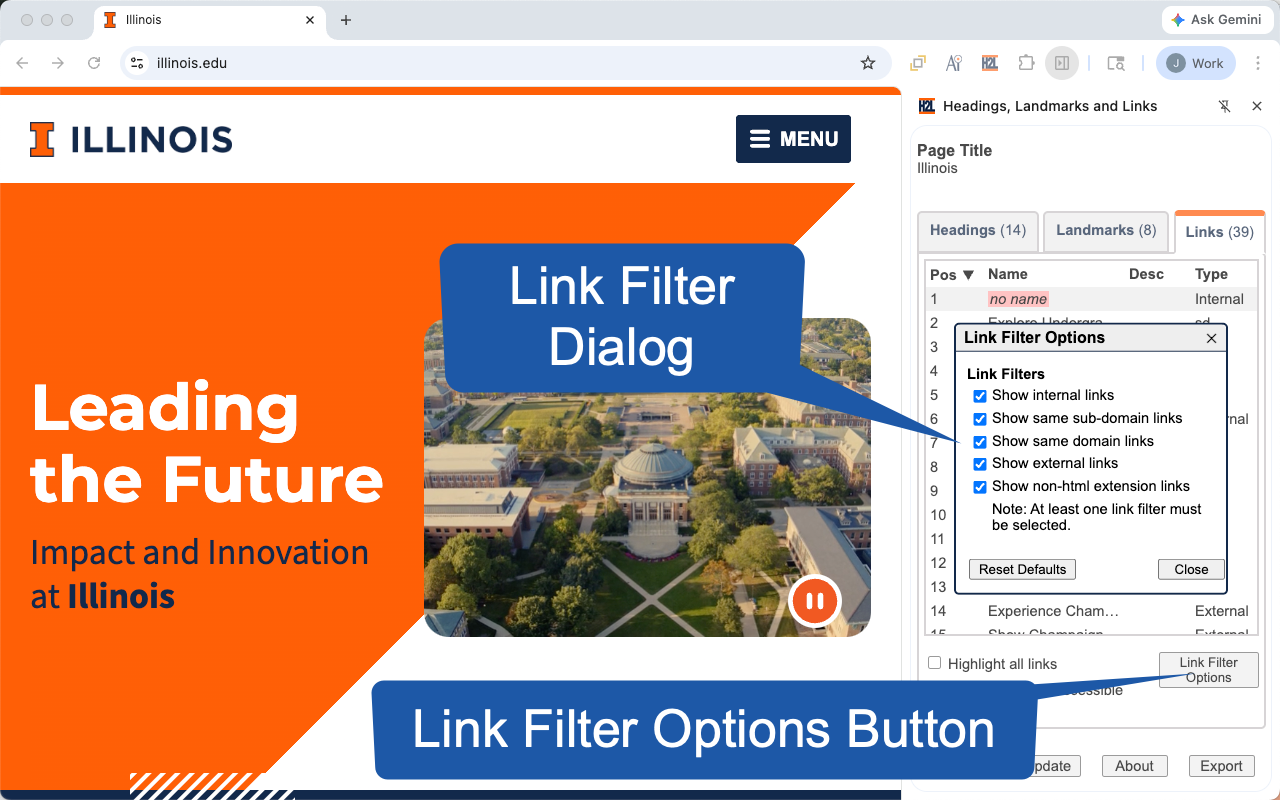
Link filtering options include:
- Internal links
- Same sub-domain links
- Same domain links
- External links
- Links with non-html file extension links (e.g. .pdf, .docx, .xlsx ...)
Domain Information:
- External: Links that reference a different website (e.g. different domain name)
-
Internal: Links that reference a target element (e.g. typically using an
idon the element) in the current web page. - ssd: Links with the same domain and sub-domain, often indicating the page is developed using the same web technology and administered by the same person or group of people.
- sd: Links with the same domain identifies the page is part of the same organization, but might be using a different web technology and administered by people not associated with website with the same sub-domain.
File extensions:
- pdf: Adobe Portable Document
- docx: Word document
- xslx: Excel document
- png: Image format
- jpeg: Image format
- mpeg: Movie format