Landmarks Tab
Landmarks Tab
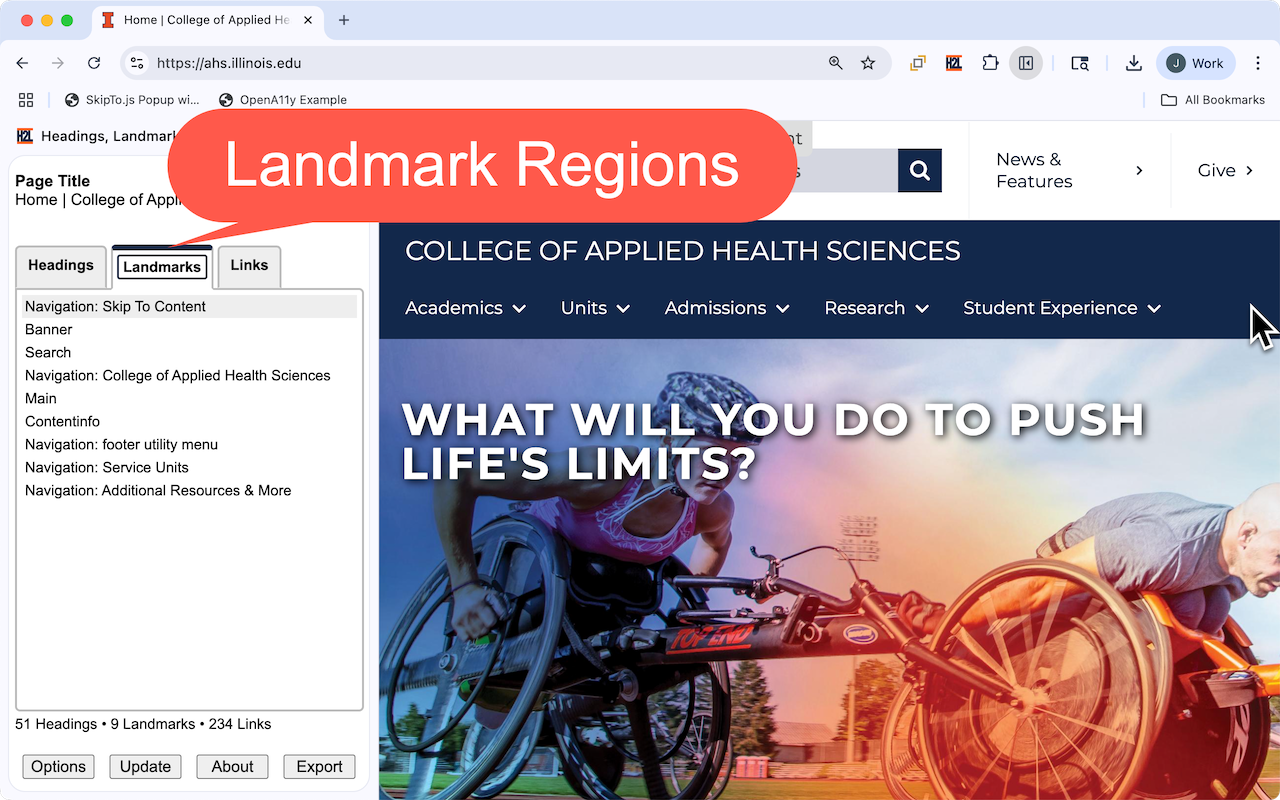
Features
- The second tab provides a list view of the landmark regions of a web page.
-
Each list item provides the type of landmark region (e.g.
main,navigation...) and the accessible name when defined. - Note: If there are more than one landmark regions of the same type without accessible names, the landmarks are not included in the list by default. This mimics the behavior of many screen readers. This feature can be disabled in options.
Options
| Highlight all landmark regions | Highlights all the on the page. |
|---|---|
| Emulate how screen readers filter landmark regions | Filters landmarks if there are multiple landmarks of the same type without an accessible name. |
Accessibility Considerations
| Identify Regions | Verify landmark regions accurately identify all of the logical areas of the web page. The visual layout and styling of the page, including spacing, borders, background colors and alignment can be used in identifying landmark regions. |
|---|---|
| Appropriate Type | Verify the type of landmark represents the content in the region. For example the main region contains the primary content of the web page. |
| Unique and Concise Names | Landmark regions only need accessible names when there is more than one landmark of the same. For example, if their are two navigation regions, each region should have an accessible name that describes the types of navigation links in the region. |
| Number of Landmarks | There is no hard and fast rule on the number of landmarks on page. The more landmarks defined, the longer it will take people using screen readers to explore the list of landmarks. In general most pages probably need less than 12 landmarks. Complex pages may benefit from more than 12 landmarks and the longer list of landmarks is an indication to screen reader users of the complexity of the page. |
| Nesting Landmarks |
Don't nest landmarks of the same type. This will be confusing to screen reader users since navigation using different landmarks will bring user to the same place on a page. This often happens with navigation landmarks when the nav element is nested in other nav elements.
|
| WCAG Requirements | |
| More Information |